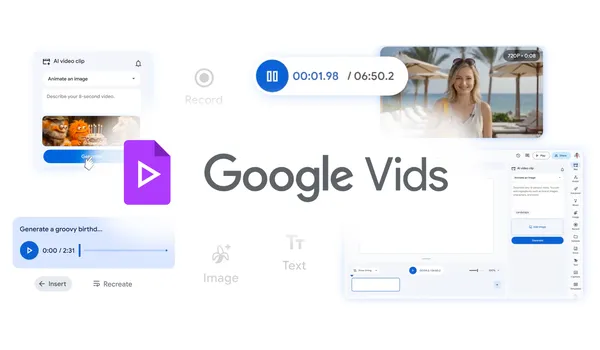

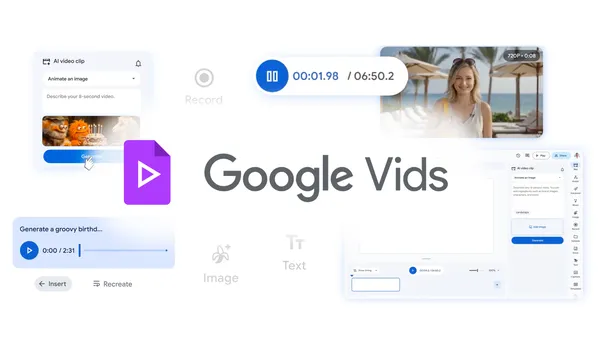
Google’s been quietly working on Vids for a while now, but this latest update actually got my attention. They’re adding new AI capabilities powered by their Lyria 3 and Veo 3.1 models, and the headline feature is that you can now generate high-quality videos at no cost.
Let me be clear about what “no cost” means here. It’s free to use for anyone with a Google account, though there are likely some usage limits buried in the fine print. Still, this is a significant step forward from the previous iteration where you needed a paid Workspace plan to do anything useful.
The real story here is the models under the hood. Lyria 3 handles the audio side — music generation, sound effects, voiceovers — while Veo 3.1 is doing the heavy lifting for video. I’ve been testing similar tools from other players, and the quality gap is narrowing fast. Google’s advantage is that they’re tying this directly into their existing ecosystem. You can edit, share, and collaborate on videos without ever leaving Google’s walled garden.
What I find interesting is how they’re positioning this. Not as a professional video editor replacement — Premiere Pro users can relax — but as a tool for quick, decent-looking videos. Internal communications, social media clips, educational content, that kind of thing. The kind of video that previously required either hiring someone or spending hours in a clunky free editor.
The workflow is straightforward: describe what you want, the AI generates a rough cut, then you can tweak it. Text prompts, style references, that sort of thing. It’s not going to win any awards for originality, but for 90% of the videos most people need to make, it’s more than adequate.
One thing that bugs me: Google’s track record with these tools is spotty at best. Remember when they had a dozen different messaging apps? I’m not saying Vids is going to get the Google Graveyard treatment, but I’m also not betting my workflow on it. If you’re a business relying on this for critical content, have a backup plan.
On the plus side, the integration with Google Drive and Workspace is genuinely useful. You can pull in assets from your existing storage, collaborate in real time, and publish directly. The sharing options are solid — you can control who sees what, set expiration dates, and manage permissions without jumping through hoops.
Is this going to replace dedicated video creation tools? No. But for the vast majority of people who just need to make a decent video without learning a complex tool or paying a subscription, this is a genuinely useful addition. It’s free, it works, and it’s getting better. That’s a hard combination to beat.
Comments (0)
Login Log in to comment.
Be the first to comment!