

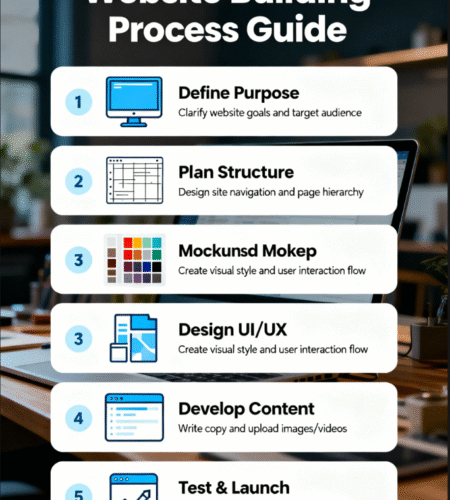
I’ve Figured Out the Website Building Process for You: A No-Stress Guide
Building a website doesn’t have to be complicated—whether you’re launching an agency, e-commerce store, or crypto platform, follow this streamlined process (plus top tools) to go live fast.
Step 1: Define Your Website’s Purpose & Pick a Niche Tool
The first rule of website building: start with your goal—not random themes. Your purpose (e.g., “sell sunglasses” vs. “showcase web design services”) will dictate the tool you use. Below are niche-tailored tools (all from allwintheme, GPL-licensed for $4.90 each) to skip generic setups:
For Web Design Agencies
Use Mizox Web Design Agency WordPress Theme—it comes with 38+ pre-built layouts for portfolios, client case studies, and service pages. Perfect for showing off your design work (no custom coding needed).
For E-Commerce (Sunglasses/Products)
Go with Glassesco Sunglass WooCommerce Theme—optimized for product galleries, quick view, and mobile checkout. It includes filterable product grids (ideal for sorting sunglasses by style/brand) and built-in discount banners.
Step 2: Set Up Core Functionality (1 Hour or Less)
Once your theme/template is installed, add key features to make your site functional:
- Contact/Lead Tools: For agencies or nonprofits, pair your site with Give ConvertKit—it syncs form submissions (e.g., “request a quote”) to ConvertKit email lists for follow-up.
- Payment Processing: For e-commerce (Glassesco), enable WooCommerce payments (Stripe/PayPal) via the theme’s built-in settings.
- Responsive Check: Use your theme’s preview tool to test mobile layout—tools like Mizox/Glassesco are pre-optimized, so you’ll only need minor tweaks.
Step 3: Add Content & Launch (2–3 Hours)
Now fill in your unique content—this is what makes your site stand out:
- Agencies (Mizox): Upload your portfolio projects (use the theme’s masonry grid for visual appeal) and write 1–2 client testimonials.
- E-Commerce (Glassesco): Add product photos, descriptions, and prices—use the theme’s “quick view” feature to let users preview items without leaving the page.
- Crypto (Coinyx/Coinary): Add your token’s whitepaper link, team bios, and live price widget (the template pulls data from crypto APIs automatically).
Final check: Ensure your domain is connected, then hit “publish”—you’re live!
Bonus: Post-Launch Tips to Grow
- For agencies: Use Mizox’s “case study” layout to share client success stories (boosts trust and leads).
- For e-commerce: Add Glassesco’s “related products” block to increase average order value (e.g., pair sunglasses with cases).
- For crypto: Update Coinyx/Coinary’s blog section with crypto news (drives organic traffic from search).
Subscribe to our email newsletter to get the latest posts delivered right to your email.
Comentarios