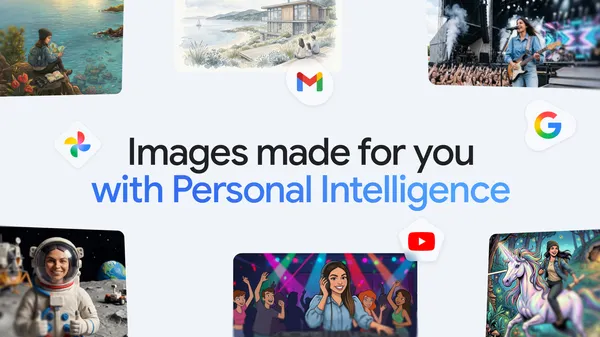

Google quietly dropped an update to the Gemini app that makes image generation feel a lot less generic. Nano Banana 2 now pulls from your personal context and Google Photos to create images that actually reflect your life rather than some stock photo version of it.
I’ve been testing this for a few days, and it’s genuinely interesting—though not without its rough edges.
What changed
Previously, if you asked Gemini to generate an image of “a dog in a park,” you’d get a generic golden retriever in some idealized green space. Cute, but impersonal. Now, with Nano Banana 2, the model can reference your Google Photos library and personal context to tailor the output.
So if you ask it to generate “a birthday party invitation” and your Photos library has pictures from your actual birthday parties, it’ll pull style cues, color palettes, and even compositional elements from those real events. It’s not copying your photos—it’s learning from them.
How it works under the hood
The system uses a lightweight on-device model (that’s the “Nano” part) that processes your photo metadata and contextual signals locally. Nothing gets sent to the cloud for this part. The actual image generation still happens server-side, but the prompt enrichment happens on your device.
This is higher than I expected in terms of privacy consideration. Google’s been burned before on data handling, so keeping the personal context processing local is a smart move.
What it actually looks like in practice
I tried generating an image for a “weekend hiking recap” post. The result included the specific trail colors from my actual photos—the reddish dirt of the Pacific Northwest trails I frequent, the muted greens of the ferns. It wasn’t a perfect recreation, but it felt like my hike, not a generic mountain scene.
Another test: “Create an image for a family recipe card.” It pulled the warm lighting and slightly cluttered countertop aesthetic from my kitchen photos. The result looked like something I’d actually put on my fridge.
Where it falls short
It’s not all roses. The personalization is heavily dependent on having a well-organized Google Photos library. If your photos are a chaotic mess of screenshots and memes (like mine), the results are… weird. I got a recipe card that somehow incorporated the color scheme of a meme I saved three years ago.
Also, the feature is opt-in by default, which is good, but the onboarding flow is buried in settings. Most users won’t find it unless they’re actively poking around.
The bigger picture
This approach has been tried before—Adobe’s Firefly has personalization features, and Apple’s on-device ML has been doing similar things in Photos for years. But Google’s advantage is scale. Gemini has millions of active users, and integrating personal context into image generation could make AI-generated visuals feel less like stock art and more like personal artifacts.
I’m cautiously optimistic. The execution needs polish, but the direction is right. AI image generation has been stuck in a generic uncanny valley for too long. Making it personal is the obvious next step.
Comments (0)
Login Log in to comment.
Be the first to comment!